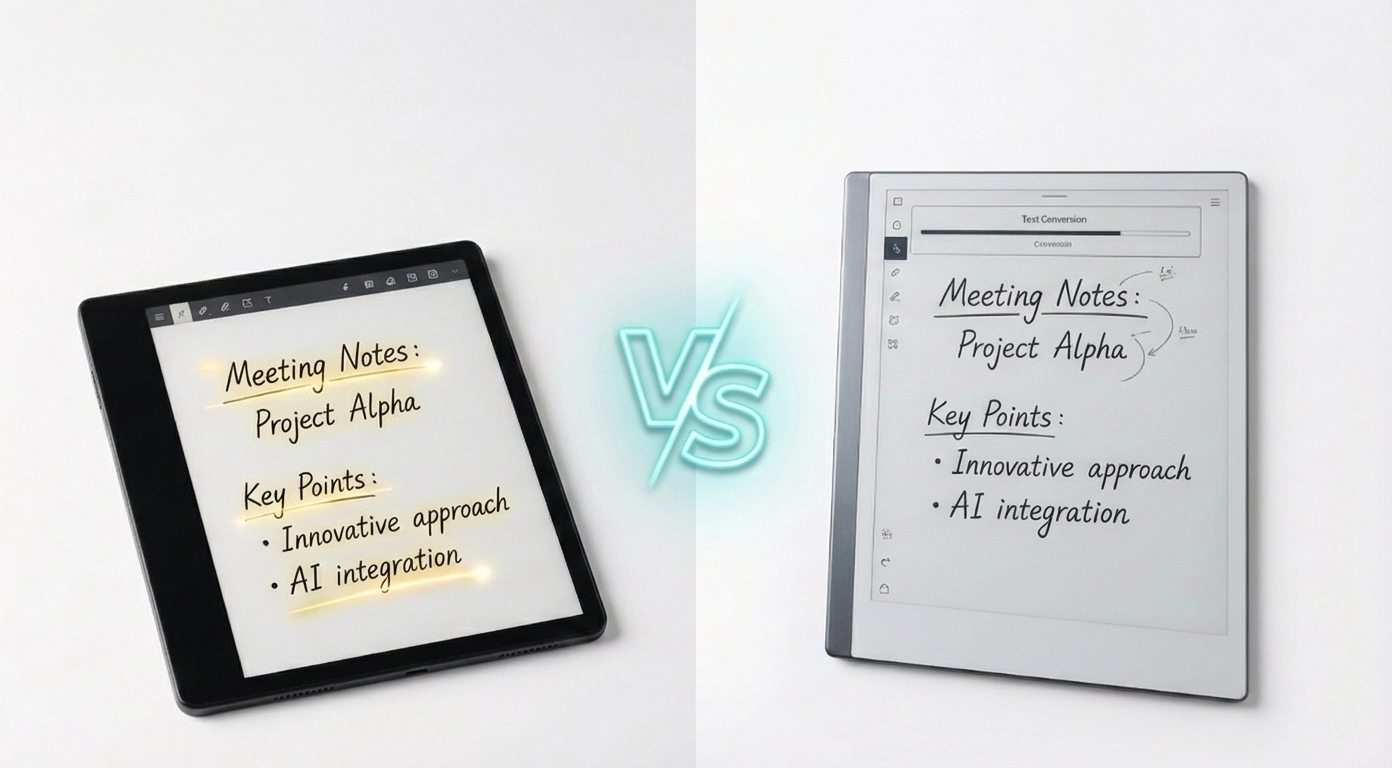
Two e-ink tablets sit on your desk. One whispers "do everything." The other insists "do one thing beautifully." Which voice are you listening to?
The answer isn't about specs. It's about understanding how you actually think and work. This comparison isn't just tech details—it's about finding the digital canvas that matches your mind.
The Philosophy That Separates Them
The Viwoods AiPaper embraces ambition. Running full Android 13, it refuses to choose between roles[1][3][4]. This 10.65-inch powerhouse opens a world of possibilities:
- Read Kindle books in the morning
- Annotate complex PDFs in the afternoon
- Record and transcribe meetings in real-time
- Convert handwriting to searchable text
- Access 128GB of storage and the entire Google Play Store
The Viwoods isn't just a notebook. It's a digital Swiss Army knife designed for people who refuse to compromise on versatility[1][3][4][6].
Then there's the reMarkable Paper Pro, which takes the opposite stance entirely. With its purpose-built Codex OS, it's an intentional act of subtraction. This 11.8-inch tablet doesn't offer you an app store, web browser, or notifications[3][8][23].
Instead, it offers something rarer in 2025: focus.
No constant pull of distractions. No notifications breaking your flow. No temptation to check your email[3][8][17]. Users describe working on reMarkable as stepping into a calm, focused world where only thinking matters. The e-ink tablet becomes a sanctuary from digital noise, not another source of it.
This fundamental difference in philosophy shapes everything else about these devices. Understanding which philosophy resonates with you—versatility or focus—is actually the most important decision you'll make in this comparison.
The Writing Experience: Where Dreams Meet Reality
The moment your pen touches the screen is where both tablets either succeed or fail completely.
The reMarkable Paper Pro has achieved something remarkable: it made thousands of users forget they were writing on a screen. Key specifications:
- 12-millisecond writing latency – Imperceptible to your brain[8][39][40][41]
- 920 micrometer pen-to-paper distance – Closest to actual paper[8][23]
- Textured glass surface – Mimics paper friction[8][39]
- Color E Ink Gallery 3 display – Thousands of color variations[8][39][45]
Writing on reMarkable feels like actual writing. Users describe it as "magical"—not because of flashy features, but because the friction between expectation and reality completely dissolves[9][28][31]. The writing sensation is so authentic that analog notebook lovers stop missing their physical journals within days of using reMarkable.
The Viwoods AiPaper writes beautifully—genuinely beautifully. The stylus delivers:
- 960Hz report rate with nuanced pressure sensitivity[1][24]
- Mobius Technology surface – Pleasant and responsive[1][24]
- 750-micrometer pen distance – Excellent, but with subtle disconnect[1][43]
- 300 PPI Carta 1300 display – Sharpest text clarity available[1][7][13]
But "smooth" is the operative word. Reviewers consistently note it's noticeably slicker than paper[26][28][31]. You're writing on a very good digital surface, not actual paper. Users describe it as "excellent" rather than "transformative"[21][24][28].
Real-world translation: If you've mourned the loss of your Moleskine notebook, reMarkable will make you forget you ever missed it. If you want a powerful digital device that writes well, Viwoods delivers that with excellence across all your other tasks[9][28].
Color vs. Clarity: Which Matters More?
The reMarkable Paper Pro introduced full color in 2024 using advanced E Ink Gallery 3 technology[8][39][45]. It blends cyan, yellow, magenta, and white ink particles to create thousands of color variations[8][23][39].
Benefits of color:
- Highlighting becomes intuitive and visual
- Color-coding information feels natural and organized
- Viewing color diagrams and charts works perfectly
- Reading at night with eye-friendly light included[23][30]
- Visual learners finally get proper support on a digital tablet
But there's a significant trade-off: Color content refresh is noticeably slower[36][39][47]. When using colored inks, you'll experience a 1.5-second draw time as the screen cycles through multiple ink states[36][39]. Black-and-white content feels much faster[36][39]. This matters if you switch between color and monochrome frequently.
The Viwoods AiPaper commits fully to monochrome, but commits with excellence. The Carta 1300 display at 300 PPI delivers:
- 15% improved clarity vs. older displays[1][7][13]
- 20% faster refresh speeds[1][7][13]
- 30% less power consumption[1][7][13]
- Deep, rich blacks creating stunning contrast[4][10][18]
- Reading text remains sharp and crisp at any size
Decision framework: Do you actually need color in your daily workflow? For pure note-taking and reading, probably not. But if you color-code everything religiously or work regularly with color PDFs and diagrams, reMarkable's color capability becomes genuinely useful[8][23][30].
Software: Philosophy Made Concrete
This is where the philosophical divide becomes concrete and unavoidable.
Viwoods: Freedom and Complexity
The Viwoods AiPaper runs full Android 13, providing unrestricted access to:
- Kindle, Kobo, Libby reading apps for ebook flexibility[1][3][4]
- Web browser for research and information gathering[1][6]
- Email app with handwritten reply support for creativity[1][6]
- Calendar with AI-assisted scheduling for organization[1][24]
- Cloud integration: Google Drive and Dropbox for syncing[1][6][24]
- AI features: handwriting conversion, transcription, summaries[1][6][24][28]
The catch: The interface can feel cluttered and somewhat confused[28]. Multiple apps for notes, meetings, and library functions, each with different organizational systems[6][28]. Some users report more bugs than purpose-built systems designed for simplicity[9][28]. "Do everything" sometimes means navigating menus instead of focusing on your content[28].
reMarkable: Intentional Limitation
The reMarkable Paper Pro is a beautifully designed walled garden[3][17][22][40]. It offers:
- Nine thoughtfully designed writing tools perfectly calibrated for writing[6][30][41]
- Multiple templates for different tasks and thinking styles[6][30]
- Folders, tags, and powerful handwriting search for organization[6][30][41]
- Every design decision prioritizes flow state and uninterrupted thinking[5][22]
- Zero notifications, zero distractions, zero app store temptations[3][17]
Subscription requirement: The $30/year Connect subscription unlocks unlimited cloud storage, cross-device syncing, and mobile editing[50][54][56][57]. Without it, you're limited to local storage on the device[50][56].
Key difference: Viwoods includes everything upfront with no recurring costs. reMarkable demands commitment to their ecosystem through an annual subscription[1][3].
The Price Question: Total Cost Matters
On the surface, numbers look simple, but total cost of ownership tells a different story.
Viwoods AiPaper: $799 upfront[1][3][49]
- Includes stylus with eraser built-in[1][43]
- Includes genuine leather protective case[1][43]
- Includes 10 replacement pen tips for long-term use[1][43]
- Everything needed to start working immediately
- No subscription fees, no hidden costs
reMarkable Paper Pro: Starts at $579[3][8]
- + Marker Plus stylus: $50 (higher precision than basic)[8][50]
- + Protective folio: $89-$179 depending on style[8][50]
- + Connect subscription: $30/year for cloud features[50][56]
- Total first year: $718-$808[8][50][56]
- Year 2 and beyond: $579 + $30 annual subscription = $609
The math is striking: Both tablets cost nearly identical amounts in the first year when you include accessories and service[3][8][50]. The difference isn't financial—it's philosophical. With Viwoods, everything is upfront and transparent. With reMarkable, true cost reveals itself gradually over months[3][8][50].
Battery Life and Real-World Performance
Both claim up to two weeks of battery life under typical use[8][10][23].
- reMarkable Paper Pro: 5030 mAh battery, charges 0-90% in 90 minutes[8][23]
- Viwoods AiPaper: 4100 mAh battery, benefits from Carta 1300 efficiency[1][4][13]
Real-world testing confirms both deliver on battery promises for typical writing and reading workflows[39][40]. The reMarkable's color display consumes more power when actively using colored inks, but most users report negligible difference in actual daily usage patterns[39][40]. Neither device requires frequent charging with normal use.
The Verdict: Your Workflow Determines Your Winner
There is no objective winner here. These devices solve fundamentally different problems for fundamentally different people.
Choose Viwoods AiPaper if you:
- Want one device replacing multiple tools for productivity[1][3][4][21][28][44]
- Need Android app flexibility and ecosystem freedom
- Value versatility across dozens of different workflows
- Prefer everything included upfront with no subscriptions[1][3]
- Work with PDFs, e-books, and meeting notes daily
- Enjoy exploring new apps and features regularly
Choose reMarkable Paper Pro if you:
- Crave authentic paper-like writing above all else[8][39][40]
- Value distraction-free focus as a feature, not a limitation[5][8][22][40]
- Color-code notes regularly and need color highlighting[8][23][30]
- Think best with intentional simplicity and limitations[3][17]
- Commit to one device doing one thing beautifully[5][8][22][40][50][56]
- Struggle with digital distractions and notification fatigue
The real question: What will you actually use it for? If your answer includes "sometimes" or "occasionally," Viwoods gives you room to explore and discover use cases. If your answer is "writing and thinking every single day, as my primary thinking tool," reMarkable is worth every penny you invest[1][3][4][5][8][22][40][50][56].
Common Questions Answered
Q: Which is better for students?
A: Viwoods AiPaper edges ahead for most students—Android apps, cloud collaboration, e-book support across platforms[1][3][4][21][28][44]. But if you struggle with digital distraction during study sessions, reMarkable excels at eliminating that friction and keeping you focused[5][8][22][40].
Q: Which feels more like paper?
A: reMarkable Paper Pro delivers unmatched paper-like writing with 12-millisecond latency and 920-micrometer pen distance. Clear winner if this is your primary goal[8][39][40][41].
Q: Does reMarkable require a subscription?
A: Yes. $30/year for cloud storage, syncing, and mobile editing features. You can use it without subscription, but you'll lose cloud capabilities[50][54][56][57].
Q: Can I use Viwoods for reading e-books?
A: Absolutely. Viwoods supports Kindle, Kobo, and Libby apps, making it a powerful e-reader alongside a note-taking device[1][3][4][6][24].
Q: Which tablet is better for PDF annotation?
A: Both excel at PDF annotation. Viwoods offers more advanced tools and cloud integration. reMarkable provides cleaner, more focused annotation without distractions[1][3][4][8][22][40].
Q: Which is more durable?
A: Both use premium e-ink technology and are designed for daily use. longevity is comparable; choose based on whether durability or focus matters more[1][3][8].
The Final Word: Your Perfect Digital Notebook Awaits
Whichever you choose, you're getting a device light-years ahead of where e-ink tablets were just years ago. Your choice determines your perfect digital thinking partner for 2025 and far beyond.
Answer these questions honestly before deciding:
- Do you need one device doing everything, or one device doing writing beautifully?
- Is subscription-free ownership important to your long-term satisfaction?
- How much do you prioritize authentic paper-like writing in daily work?
- Do you work across multiple devices and need cloud syncing?
- Is color highlighting essential, or just nice-to-have functionality?
- Do you struggle with digital distractions in your workflow?
Choose based on alignment with your actual needs, not raw power or specifications you'll never use. When you choose based on who you are as a thinker and worker, you'll have a digital notebook that genuinely transforms how you think—not just another gadget taking up desk space.